
Connect your calendar and plan directly from it
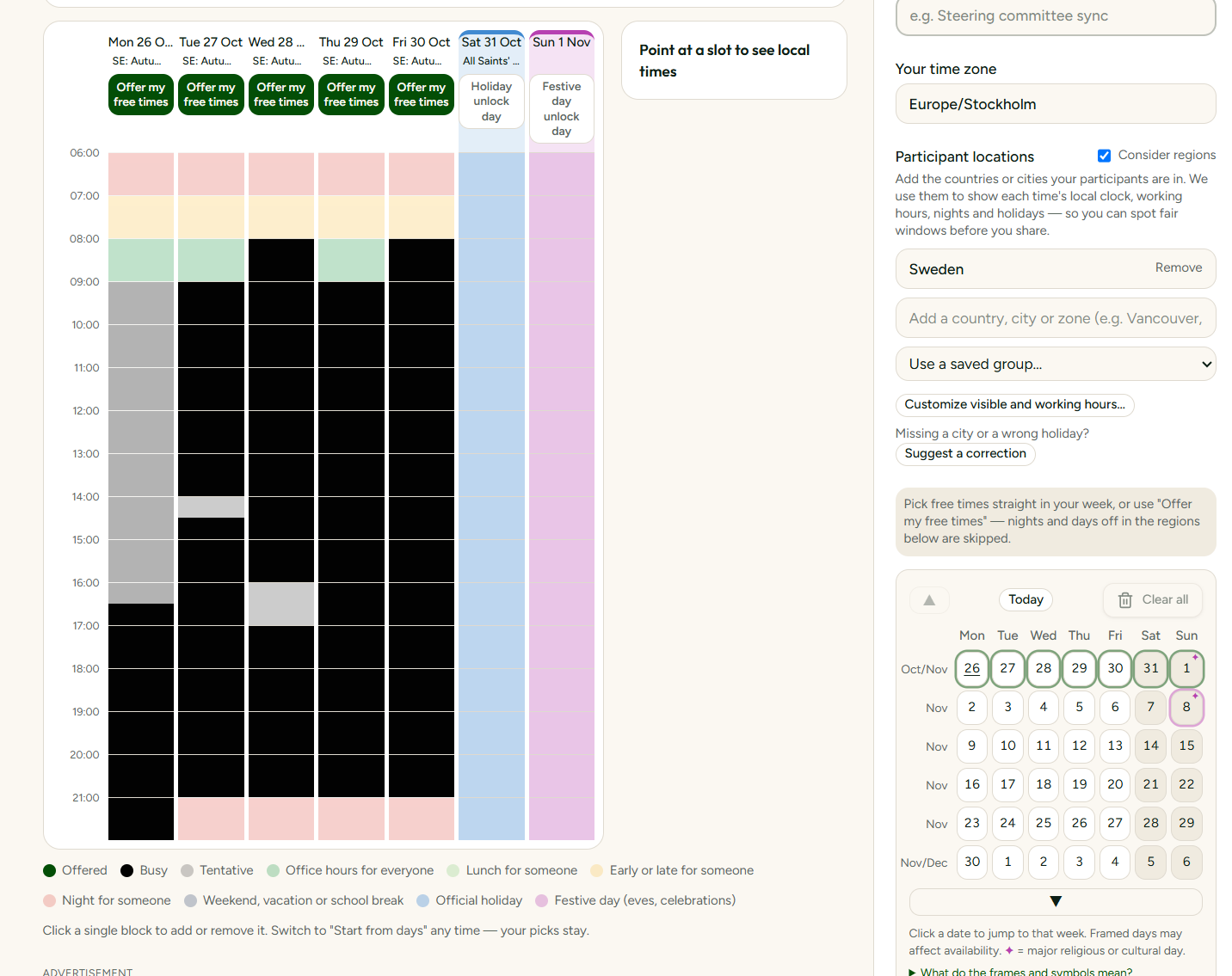
Until now, organisers had to keep their own calendar open in another tab while choosing which slots to offer. That is exactly the kind of back-and-forth this tool is meant to remove, and it was one of the most frequent requests from beta testers.
You can now connect a calendar through its private iCal link from Google, Outlook or Apple. SyncWithTeam reads only whether each period is free, tentative or busy. Titles, locations, attendees and descriptions are never stored. The link itself is encrypted at rest, so even a copy of our database would not reveal it.
Once connected, there are two ways to work. 'From my calendar' shows a week at a time, with your existing commitments shaded, so you can browse forward and offer the gaps. 'From days' keeps the flexible date picker but can skip your busy times automatically when you select office hours for a day.
Guests who sign in can link their own calendar too, and their busy times are pre-filled as unavailable before they answer — they still decide what to submit.
What this enables is a proposal that is honest from the start: the organiser never offers a slot they cannot actually attend, and guests spend their twenty seconds confirming rather than cross-checking. If you prefer not to connect anything, everything still works exactly as before.