
New: Partial booking and Keep poll open
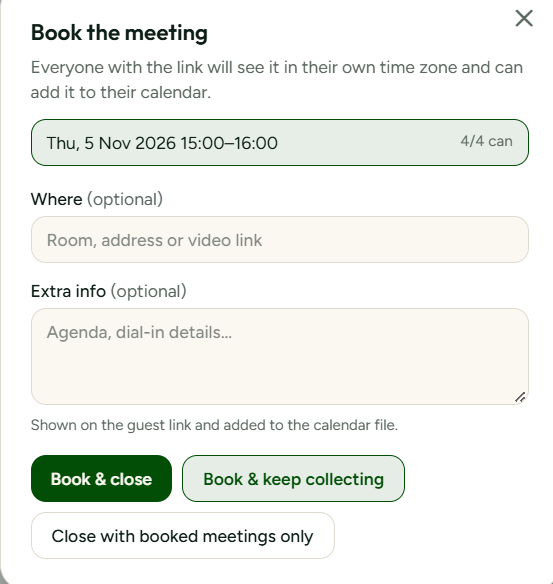
Many real meetings are not one meeting. A project kickoff might need a session this week and two follow-ups later in the month. Until now, booking one slot closed the whole poll, so organisers either waited for everyone or started a new poll for the remaining dates.
With partial booking, you can book the slots that already have the right people and keep the poll open for the rest. Booked slots are locked so nobody accidentally changes an answer that a decision was based on, yet guests can still tap them to see who confirmed.
Keep open is the companion setting. It tells SyncWithTeam that the poll should continue to accept answers after a booking, and reminders keep working for people who have not replied yet. When you are done, closing the poll is one click.
Each booking produces its own calendar file that you can share or drop into Outlook, Google or Apple Calendar, and anyone revisiting the guest link sees which times are final.
What this enables is planning in stages. Recurring workshops, interview rounds and multi-day events can be handled in one link instead of five, and participants never have to wonder which poll is the current one.