
4 min read · Updated 2026-10-29
Why Create a Free Account
From day one, SyncWithTeam was designed with a simple principle: no one should ever be forced to sign up just to schedule or attend a meeting.
Guests can always respond in under 20 seconds without creating a profile, and organizers can create, share, and book meetings completely anonymously.
So why would you ever want to create a free account?
The short answer is: pure convenience. A free account adds tools that save hours of repetitive setup for people who schedule meetings regularly — while remaining 100% free, private, and optional.
Here is what creating a free account unlocks for you.
1. Connect your calendar without giving away your privacy
When scheduling meetings across busy weeks, switching back and forth between a scheduling tool and your Google, Apple, or Outlook calendar is tedious.
With a free account, you can connect your personal calendar feed:
- Overlay your busy slots: When creating an invitation or voting on a poll, your calendar's busy times are automatically greyed out. You never risk double-booking yourself.
- Complete title privacy: We strictly parse only free/busy availability intervals. SyncWithTeam never reads, downloads, or stores the titles, descriptions, or participant lists of your personal calendar events.
- Zero lock-in: You can disconnect or revoke your calendar connection at any time with a single click.
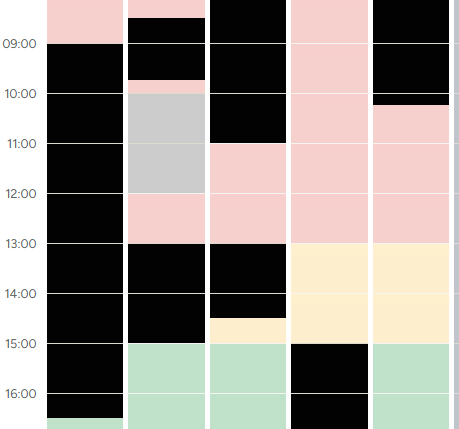
💡 How-to guide: How to connect your work calendar privately.
2. "My meetings": Never lose an organizer link again
When you create a meeting without an account, your administrative access is tied to a private link stored in your browser. If you switch devices, clear your browser cache, or open an incognito window, tracking down that link can be frustrating.
Signing in solves this instantly:
- Central dashboard: Every meeting you organize appears automatically in your My meetings dashboard.
- Live response tracker: See at a glance how many invited participants have voted, whose responses are still missing, and which polls are nearing their deadlines.
- Meetings you attended: Polls you have voted on as a participant also stay neatly organized so you can revisit the final booking details whenever you need.
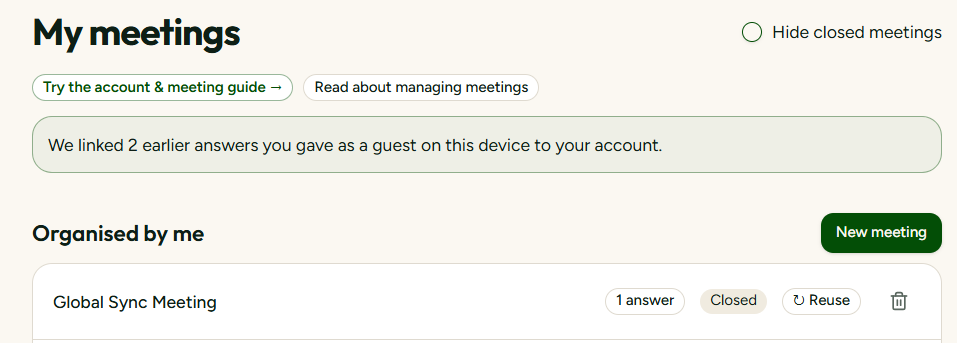
3. Reusable team groups: One click for your regular attendees
Do you regularly schedule calls with the same core team — for example, your engineering leads in London, Stockholm, and San Francisco?
Instead of typing in the same cities, countries, and time zones every single week:
- Save frequent groups: Group your common collaborators under names like "Core Leadership" or "APAC Growth Team".
- One-click prefill: Select the group when creating a new poll, and all participant locations, regional time zones, and holiday calendars load instantly.
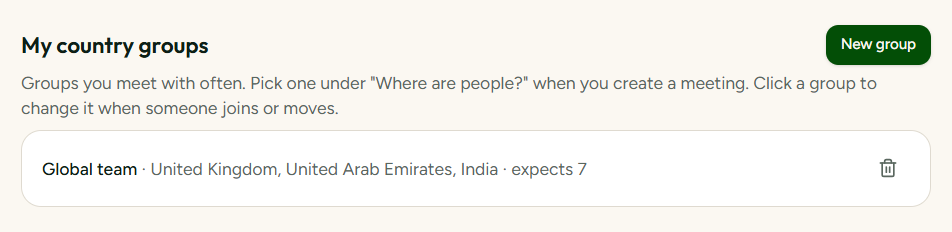
💡 How-to guide: Managing reusable groups and expected answers.
4. Personal meeting defaults: Set your rules once
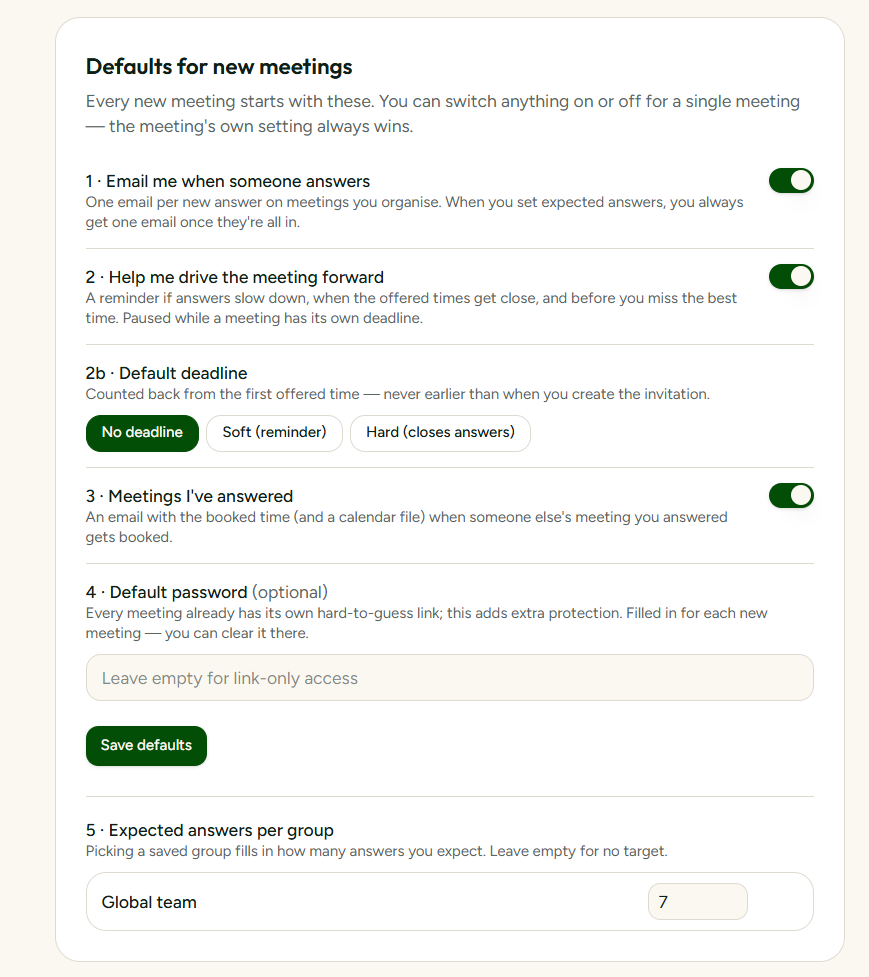
Everyone has personal working preferences. Instead of toggling settings for every new meeting you propose, account holders can set global defaults:
- Your preferred working hours: Predefine your typical working window so suggested times always respect your core hours.
- Default deadlines: Automatically apply a 48-hour or 3-day response window to new polls.
- Auto-closing polls: Choose whether polls should automatically close early once all invited participants have cast their votes.
5. Claim past meetings created anonymously
If you created polls or responded to invitations before signing up, you don't lose any of that history.
When you log in on the same browser, SyncWithTeam detects your recent guest responses and unlinked polls and offers to safely attach them to your new profile with a single confirmation. Nothing gets stranded.
What a free account will never mean
Many SaaS products use free accounts as a funnel to lock down essential features or bombard your inbox with marketing emails. SyncWithTeam works differently:
- No artificial feature paywalls: Core scheduling features, multi-time-zone math, holiday conflict warnings, and .ics calendar exports are free for everyone — with or without an account.
- No guest barriers: Your attendees will never be prompted to create an account or install an app just to reply to your invitation.
- No marketing spam: We only send transactional emails that you explicitly ask for (such as meeting reminders or booking confirmations). News etc. you need to find on the website if that interests you.
Signing up takes less than 30 seconds with Google or email.